Second Brain app › Guides › Claude on claude.ai or in the Claude app
Through your cloud connector · about 10 minutes

Connect Claude on claude.ai or in the Claude app to Second Brain

A Claude account with Connectors. Dropbox or Google Drive must be the cloud holding your Second Brain.

Steps

Do these in order

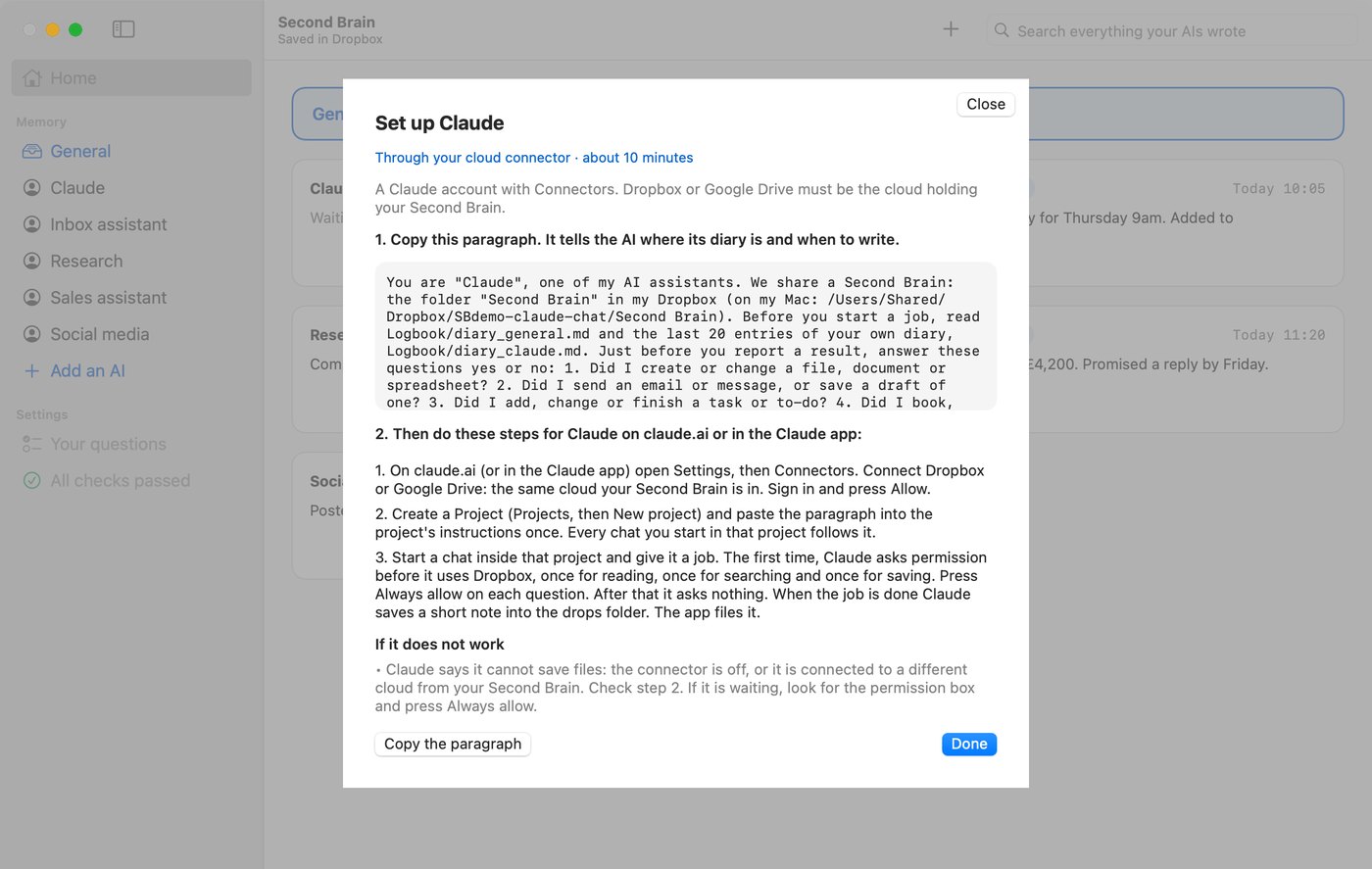
  1. In the Second Brain app press Add an AI. Name it, choose Claude, press Continue, then press Copy the paragraph. Leave the drop mode box ticked.The Second Brain app on its Set up screen for Claude on claude.ai or in the Claude app, with the paragraph to copy.
  2. On claude.ai (or in the Claude app) open Settings, then Connectors. Connect Dropbox or Google Drive: the same cloud your Second Brain is in. Sign in and press Allow.
  3. Create a Project (Projects, then New project) and paste the paragraph into the project's instructions once. Every chat you start in that project follows it.
  4. Start a chat inside that project and give it a job. The first time, Claude asks permission before it uses Dropbox, once for reading, once for searching and once for saving. Press Always allow on each question. After that it asks nothing. When the job is done Claude saves a short note into the drops folder. The app files it.
Check it works

Give it a test job

Tell your AI: Mr Patel accepted our kitchen quote. The agreed price is £4,200 and work starts on 3 November. Confirm the job in one sentence.

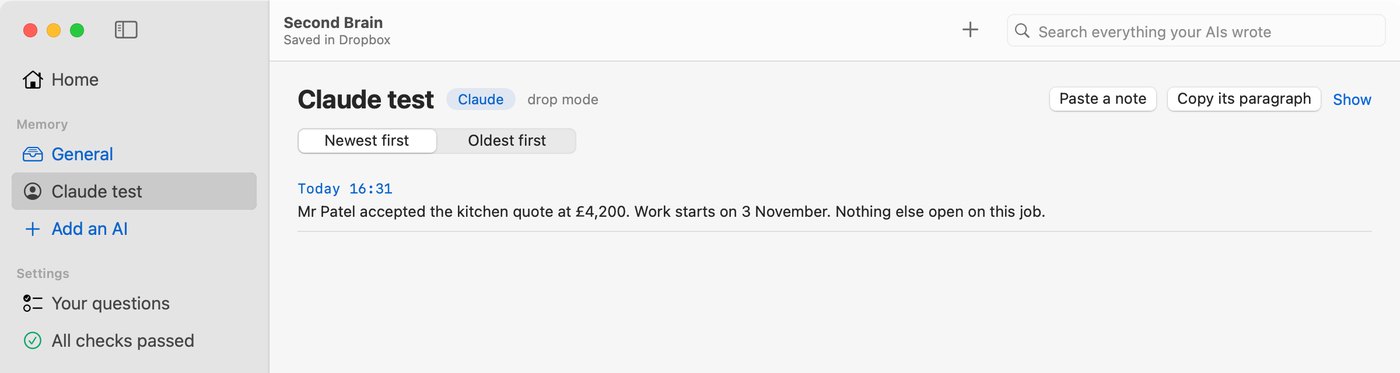
Open the Second Brain app. Within about a minute a new entry appears on that AI's card saying Mr Patel accepted the quote at £4,200. If it does, you are done. Entries are never deleted, so leave it or ignore it.

The Second Brain app showing the entry Claude on claude.ai or in the Claude app wrote in a test.
If it does not work

3 things to try

What we tested

Tested 6 October 2026 on claude.ai in a browser, which uses the same chats and connectors as the Claude app

Tested 6 October 2026 on claude.ai in a browser, which uses the same chats and connectors as the Claude app: with the paragraph in a Project's instructions and nothing pasted into the chat, Claude read the diary, saved a note into the drops folder and the app filed it. A second chat in the project gave back the fact from the diary. After Always allow was pressed on the 3 Dropbox questions, a new job ran with no question at all. Claude has no clock and guessed the time in the file name. The app files the note under the time the file was saved, so the entry time is right. Menu names change from time to time, so look for the words given here.

Other guides: Claude Code · ChatGPT desktop app (Codex) and Codex · Cursor · Hermes · Grok Bot · Grok and ChatGPT on the web

Not got Second Brain yet?

£99 once, for a limited launch period

The normal price is £499. £99 is the price for a limited launch period. With the app you do it yourself in about 10 minutes.

Buy Contigi's Second Brain for Mac  £99