Second Brain app › Guides › ChatGPT desktop app (Codex) and Codex
On your Mac · about 10 minutes

Connect ChatGPT desktop app (Codex) and Codex to Second Brain

The ChatGPT desktop app with its Codex section (or the Codex command line), on your Mac.

Steps

Do these in order

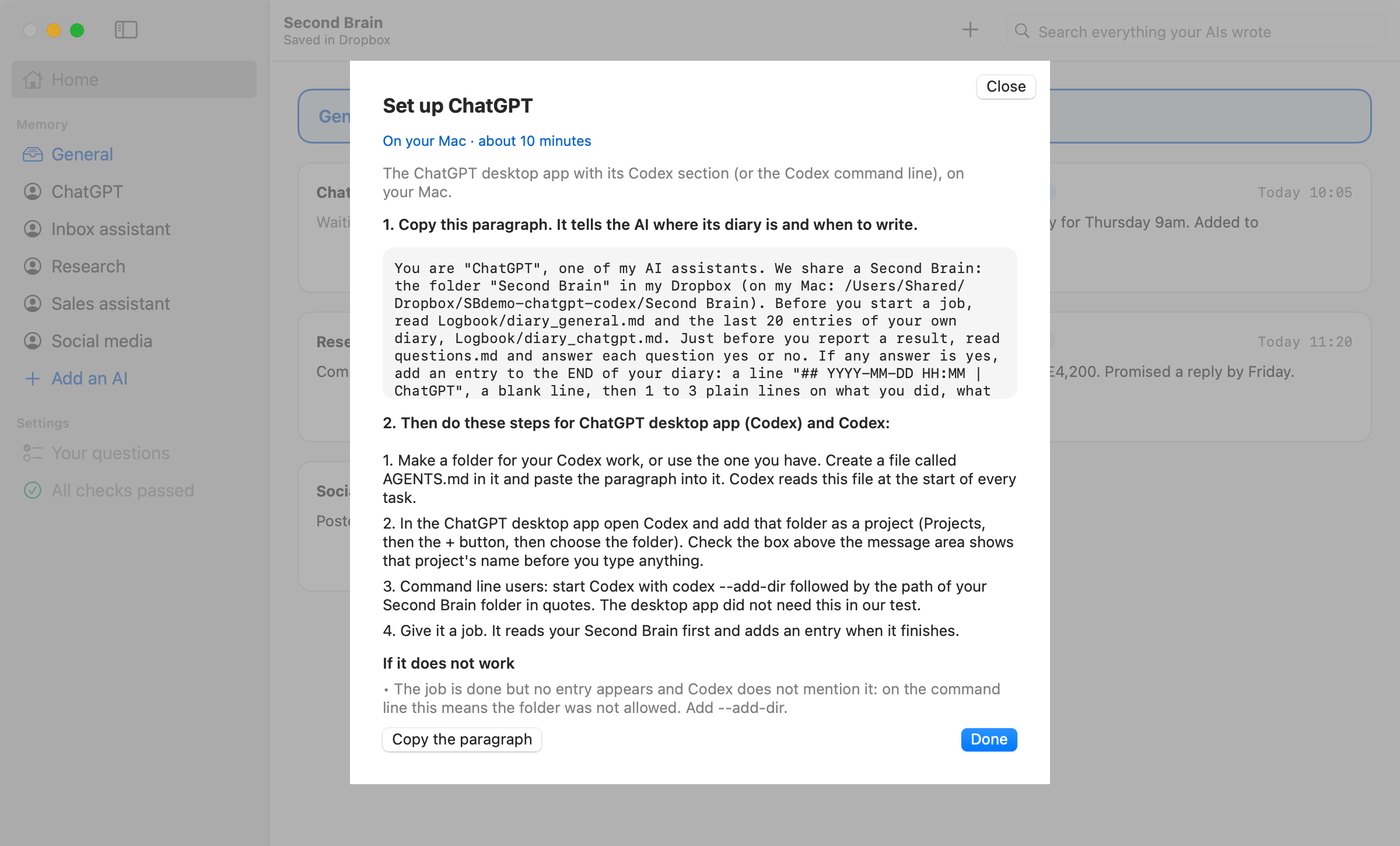
  1. In the Second Brain app press Add an AI. Name it, choose ChatGPT, press Continue, then press Copy the paragraph.The Second Brain app on its Set up screen for ChatGPT desktop app (Codex) and Codex, with the paragraph to copy.
  2. Make a folder for your Codex work, or use the one you have. Create a file called AGENTS.md in it and paste the paragraph into it. Codex reads this file at the start of every task.
  3. In the ChatGPT desktop app open Codex and add that folder as a project (Projects, then the + button, then choose the folder). Check the box above the message area shows that project's name before you type anything.
  4. Command line users: start Codex with codex --add-dir followed by the path of your Second Brain folder in quotes. The desktop app did not need this in our test.
  5. Give it a job. It reads your Second Brain first and adds an entry when it finishes.
Check it works

Give it a test job

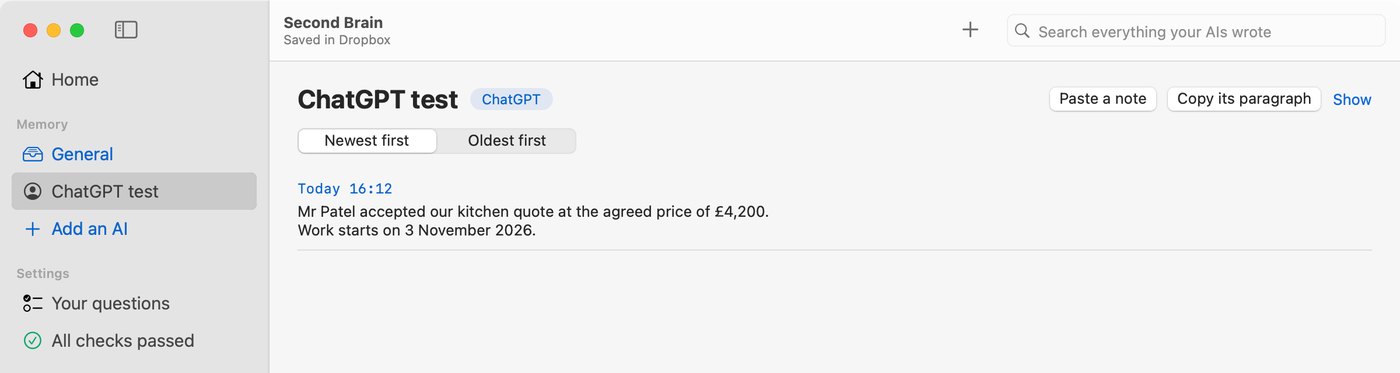
Tell your AI: Mr Patel accepted our kitchen quote. The agreed price is £4,200 and work starts on 3 November. Confirm the job in one sentence.

Open the Second Brain app. Within about a minute a new entry appears on that AI's card saying Mr Patel accepted the quote at £4,200. If it does, you are done. Entries are never deleted, so leave it or ignore it.

The Second Brain app showing the entry ChatGPT desktop app (Codex) and Codex wrote in a test.
If it does not work

3 things to try

What we tested

Tested 6 October 2026

Tested 6 October 2026: the desktop app read the paragraph from AGENTS.md, wrote a correct entry and remembered it in a new chat. The Codex command line did the same once its folder was allowed. Without that permission it wrote nothing and said nothing.

Other guides: Claude Code · Claude on claude.ai or in the Claude app · Cursor · Hermes · Grok Bot · Grok and ChatGPT on the web

Not got Second Brain yet?

£99 once, for a limited launch period

The normal price is £499. £99 is the price for a limited launch period. With the app you do it yourself in about 10 minutes.

Buy Contigi's Second Brain for Mac  £99