AI Business Tools › Contigi Tidymac
Contigi Tidymac

Clear space on your Mac safely and keep a record of what went

Contigi Tidymac is a small Mac app. It scans, shows you everything and moves only what you tick into a holding folder. Put it all back with one button. Empty it when you are happy. Then keep the report.

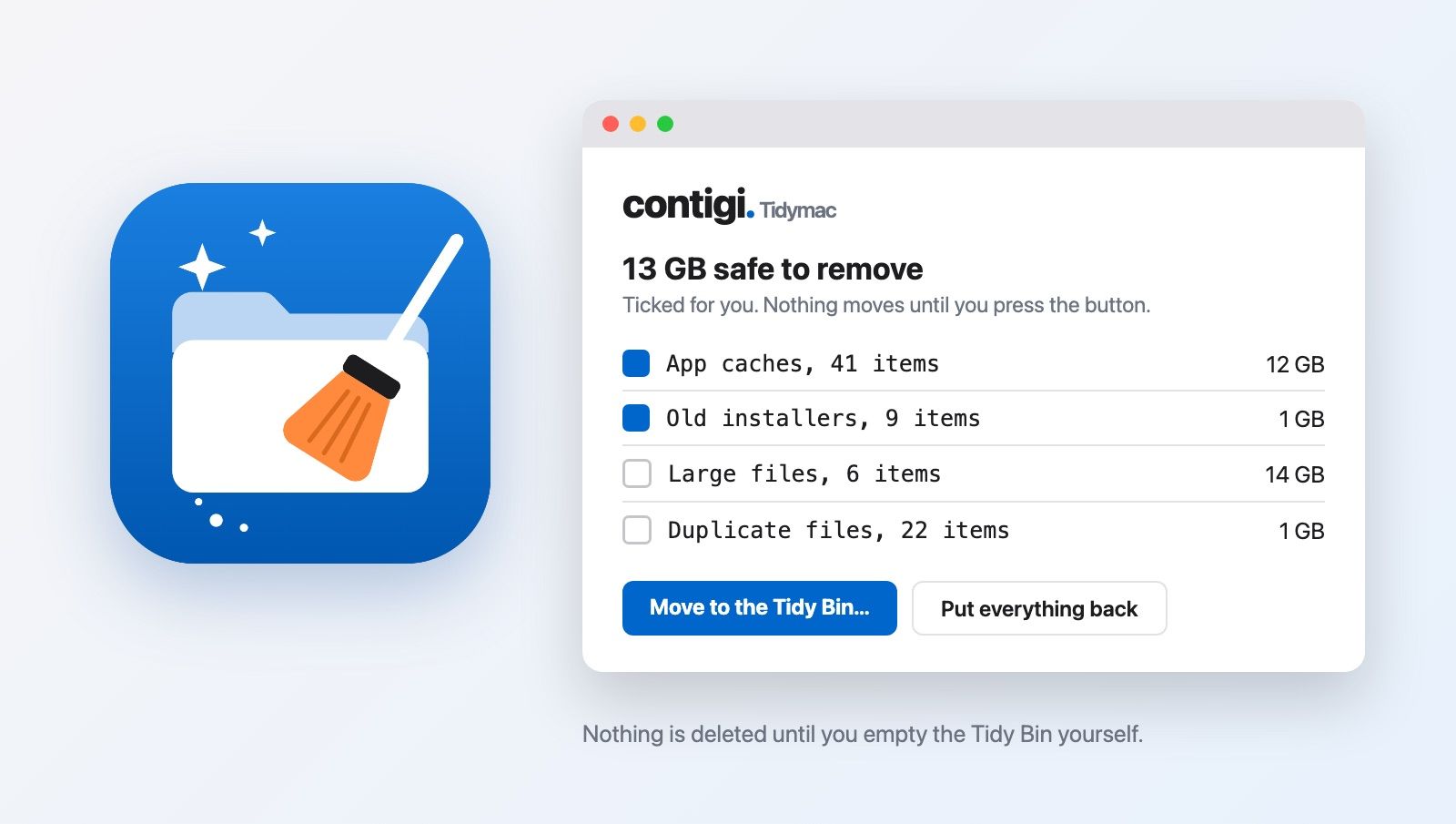
The Contigi Tidymac app icon beside an example of its window: 13 GB safe to remove, with app caches and old installers ticked, large files and duplicates unticked, plus a Move to the Tidy Bin button.
Who this is for

Anyone whose Mac keeps saying the disk is full

What you get

5 parts, one small app

It looks first

The scan takes about a minute and changes nothing. You see everything it found before you decide anything.

Safe items are ticked for you

App caches, log files, old installers and half-finished downloads: things your Mac or your apps rebuild by themselves.

Your call items stay unticked

Large files, old downloads and exact copies of files. Only you know whether you still need them.

Everything goes to the Tidy Bin

A holding folder. Put everything back with one button, for as long as you like. Empty it when you are happy and the space comes back.

A report you keep

Every item removed, by name. Your free space before and after. What changed since your last scan.

How it works

4 steps, about 5 minutes

  1. Open it, choose where to look and press Scan my Mac.Tick places such as Documents or Dropbox if you want them checked too. Tidymac only looks. The scan takes about a minute.
  2. Tick what you want gone.The safe group is ticked for you. Everything else is unticked.
  3. Press Move to the Tidy Bin.Nothing is deleted yet. Every item can go back where it came from.
  4. Empty the Tidy Bin to get the space back.This is the one step that cannot be undone, so Tidymac always asks first.
Built to be careful

Your files are yours

Only you decide

Nothing moves until you confirm. Every item is checked again just before it moves.

Every move can be undone

Ticked items go to the Tidy Bin first. one button puts them back until you empty it.

Your documents are off limits

Documents, Desktop, Pictures, Music, Dropbox and iCloud are never scanned unless you add a folder yourself.

Nothing leaves your Mac

No account, no internet, no upload and no tracking.

Why you can trust the numbers

I built it for my own Mac first

On my own Mac, Contigi Tidymac found 13.05 GB that was safe to remove and a further 71.65 GB for me to judge, in 34 seconds. It never promises a faster Mac. It tells you what it moved and how much free space you had before and after, measured on your own Mac.

What it costs

one price, paid once

£29
no subscription

30 day money-back guarantee, no questions asked. Free updates to version 1. Works on macOS 14 (Sonoma) or later.

Buy Contigi Tidymac, £29

After you pay, you go straight to a page with your download link. Read the terms, refunds and privacy notice.

Questions

Before you buy

Will it make my Mac faster?

It frees disk space and tells you exactly how much. It does not promise speed. A Mac with plenty of free space has room to work.

Is it a backup?

No. Keep your Time Machine backup. Tidymac only moves what you tick and you can put it back.

How do I install it?

Open the download, drag Contigi Tidymac into Applications, open it and press Scan my Mac. The Tidymac start up guide is inside the download.

Why does my Mac ask permission?

macOS asks before any app looks in Downloads, Dropbox and similar places. Click Allow. It is macOS protecting your files and it only lets Tidymac look. Nothing is sent anywhere.

Is it safe to remove what it ticks?

Every item says why it is ticked or not, and every group explains itself in plain words. Ticked items go to the Tidy Bin first, so you can put them back.

What if I change my mind?

Email me within 30 days for a full refund. You do not need to give a reason.
Questions first?

Ask before you buy.

Email me and I reply within two working days.